Product Performance Analytics & Lead Product Association
Learn how to associate products with leads during creation and follow-ups, track customer interest, import products into quotations, and generate product-wise sales pipeline reports.
Overview: Product Performance Analytics
Product Performance Analytics connects prospective customer leads directly with your product catalog. By associating products of interest with a lead during inquiry creation or follow-ups, your sales team captures exact customer demand from the very first interaction.
This feature empowers Sales Executives to quickly understand customer needs, enables 1-click product import into formal Quotations, and provides Sales Managers with real-time business intelligence into product demand, pipeline value, and conversion rates.
Product Association is non-intrusive and completely flexible: product tagging is optional during initial lead entry and can be added, updated, or refined at any point throughout the lead lifecycle.
Why Product Association Matters
Understanding product demand at the lead stage transforms generic lead tracking into actionable business intelligence.
Without Product Association
- • Customer leads are tracked, but specific product demand remains unknown until a quotation is issued.
- • Managers cannot measure which products attract the most customer inquiries.
- • Sales pipeline value cannot be broken down by product category or model.
- • Product win/loss conversion rates cannot be calculated accurately.
With Product Association
- • Product demand is captured and measured from the first customer conversation.
- • Real-time product-wise lead volume and pipeline value reports become instantly available.
- • Sales reps can import interested products directly into draft Quotations with one click.
- • Leadership gains full visibility into market interest, product win rates, and growth trends.
End-to-End Business Workflow
The Product Association lifecycle integrates naturally into your existing sales routine:
Managing Products on a Lead
Sales Executives and Managers can associate, update, or remove products for any lead they have access to.
Navigate to
Sales → Leads in the main navigation menu. Locate the lead in the table.
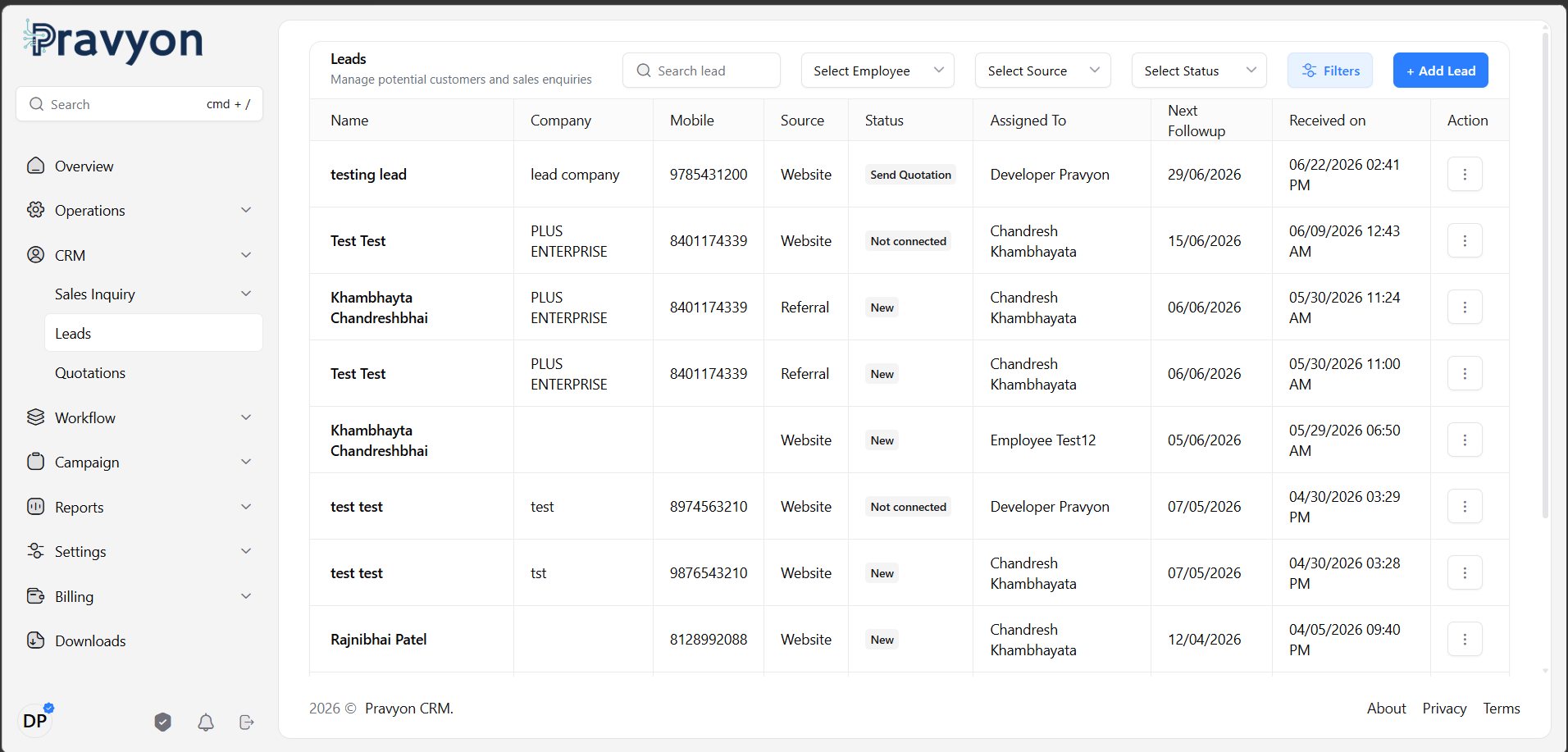 Figure 1: Lead Management Listing Page
Click the action menu
(...) next to the lead row and select Manage Products. Alternatively, click the + Tag Product button.
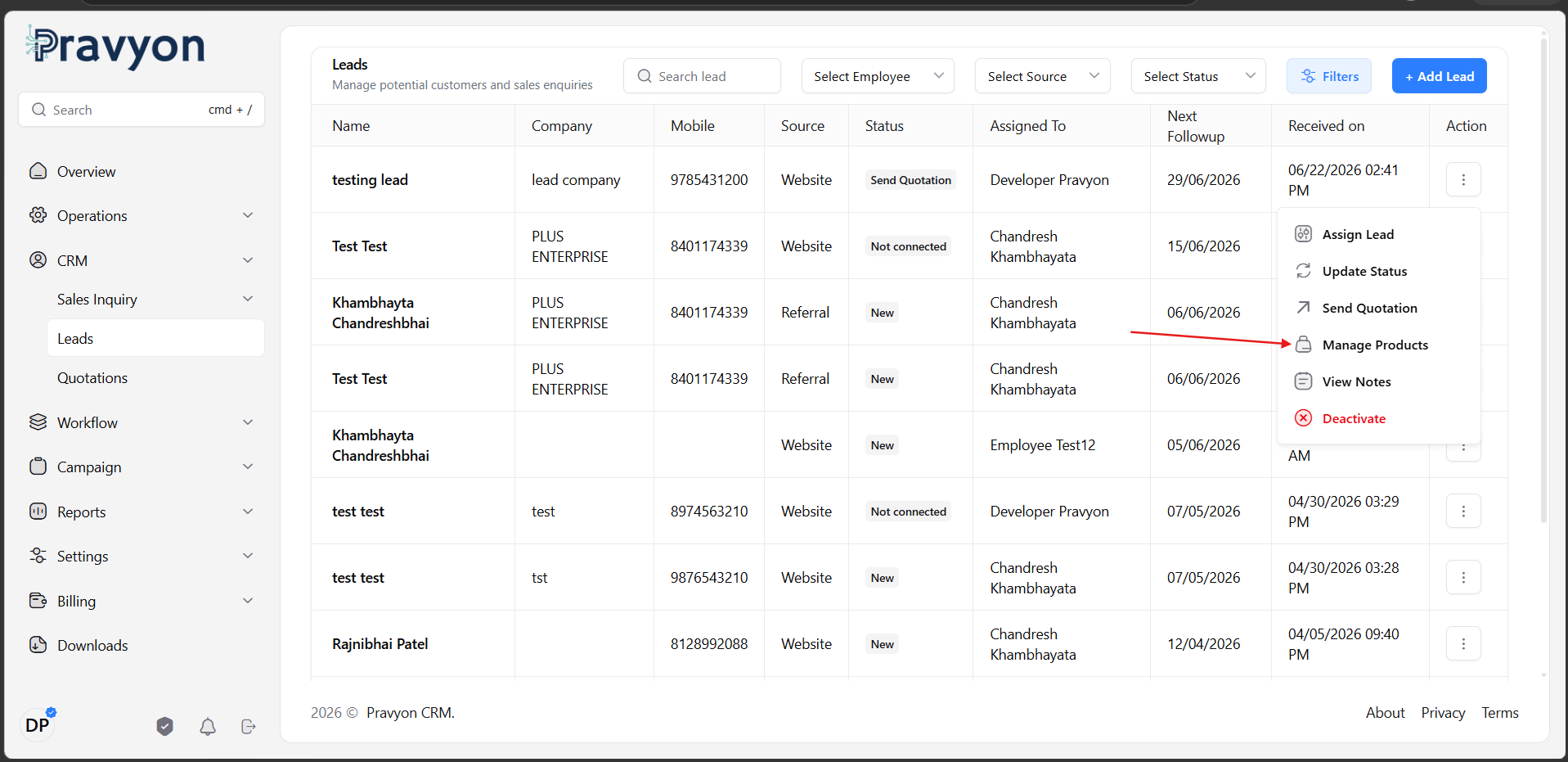 Figure 2: Opening the Manage Products Window
In the product selection window, search by Product Name or SKU Code. Click on any product to select or deselect it. Selected products appear immediately as removable tags below.
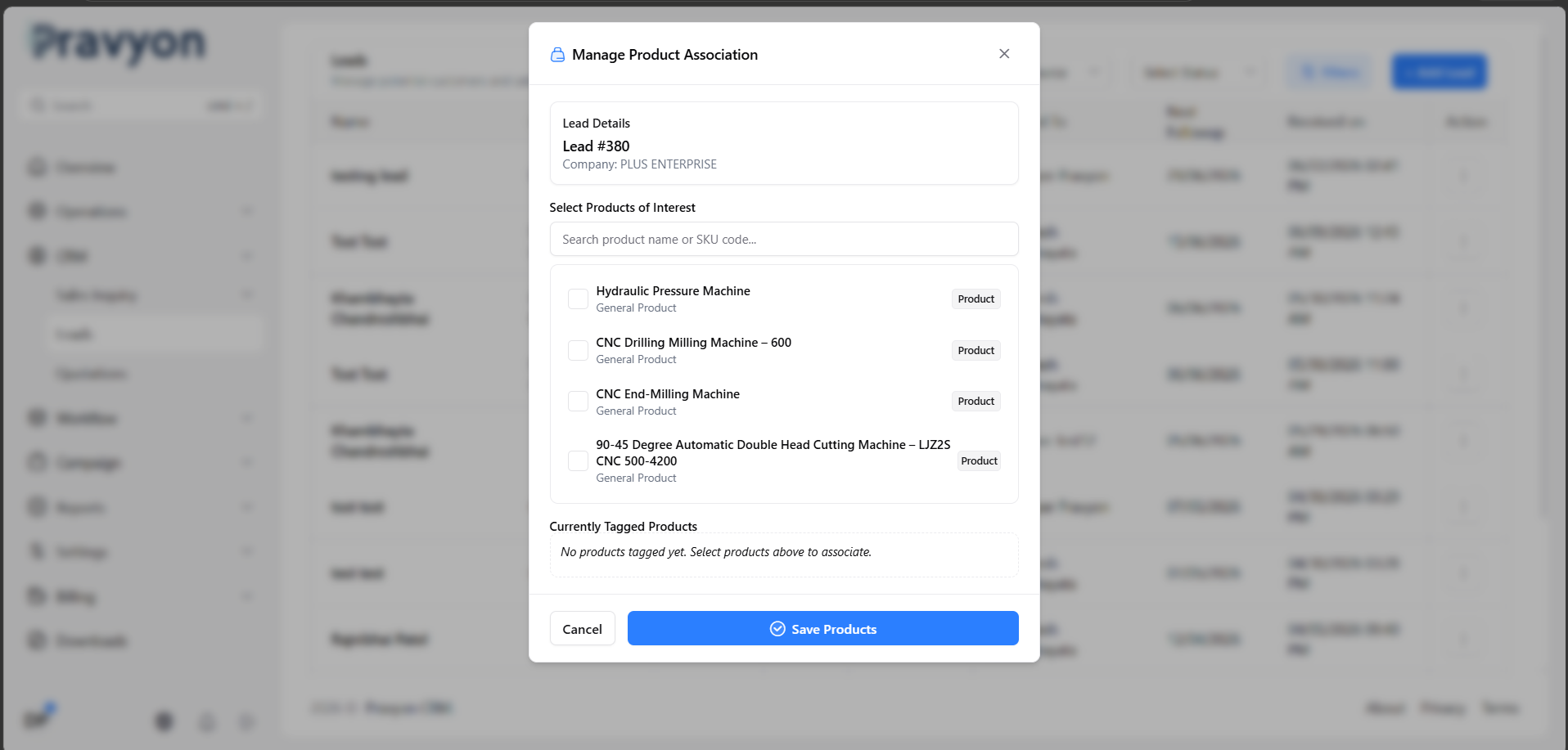 Figure 3: Search as You Type and Multi-Select Products
Click Save Products. The tagged product chips update instantly on the lead row and lead details drawer.
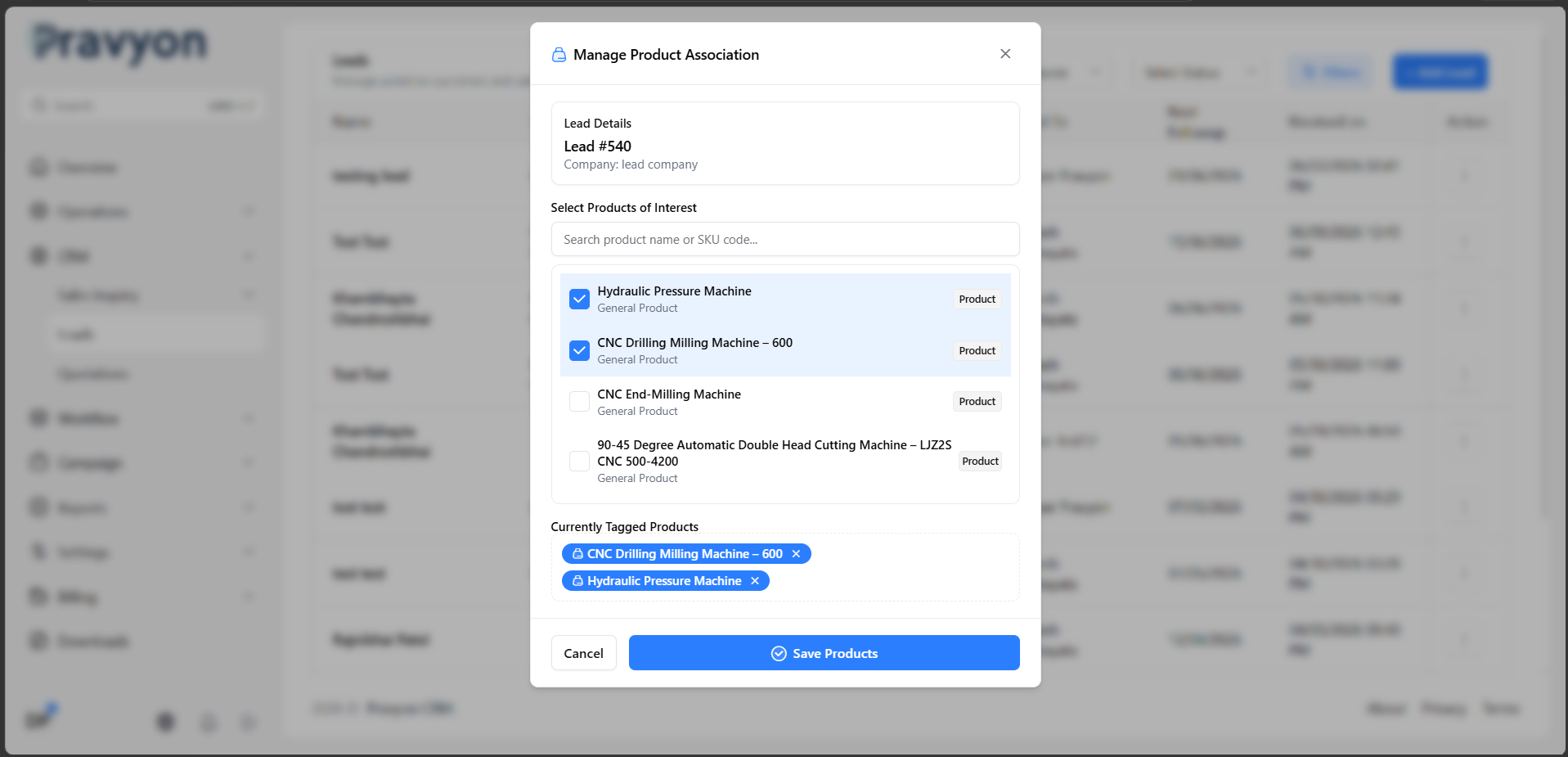 Figure 4: Displaying Tagged Product Chips on Lead Row
Practical Practical Examples
A customer inquires about both ERP Software and Attendance System. The sales rep tags both products during lead entry. Both products contribute to the initial pipeline volume.
During a phone call, the customer clarifies they only need ERP Software. The sales rep opens Manage Products and removes Attendance System. Product analytics instantly update to reflect accurate demand.
The customer requests to add a Mobile Application module before receiving a formal quote. The sales rep adds Mobile Application, then clicks Send Quotation. Both ERP Software and Mobile Application automatically pre-populate as draft quotation line items.
Product Performance Analytics Reports
Product Associations feed directly into Pravyon’s Dynamic Reports Engine (ReportController). Managers and Administrators can access comprehensive product reports under Reports → Dynamic Reports → Product Performance.
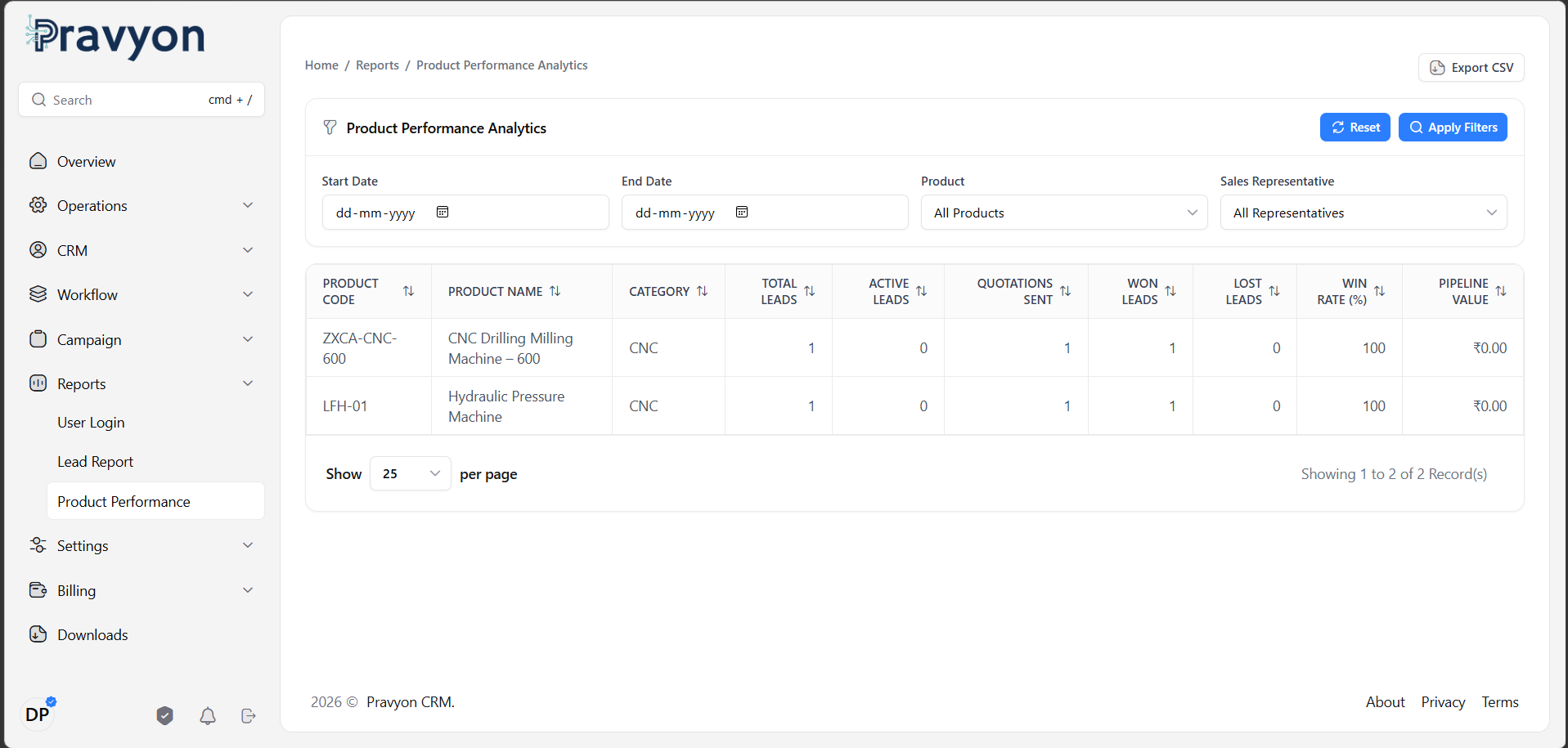 Figure 5: Product Performance Analytics Grid in Dynamic Reports
Key Metrics Provided:
- Total Leads: Total number of leads inquiring about the product.
- Active Leads: Leads currently in progress (New, Assigned, Contacted, Follow-up).
- Quotations Sent: Number of leads where formal quotes were issued for this product.
- Won Leads & Win Rate (%): Percentage of inquiries successfully converted into won orders.
- Lost Leads: Opportunities lost, enabling win/loss analysis by product category.
- Pipeline Value: Total monetary value of active quotations associated with this product.
Data Quality Guidelines
Analytical reports depend directly on accurate data entry. To maintain reliable business insights:
- ✓ Tag Products Early: Associate products as soon as customer interest is known.
- ✓ Keep Selections Updated: Adjust product tags after follow-up calls if customer needs evolve.
- ✓ Verify Before Quotation: Confirm tagged products before generating a formal quote.
- ✓ Remove Uninterested Products: Remove products the customer explicitly declines to keep conversion metrics clean.
Frequently Asked Questions (FAQ)
Yes. You can select and associate as many products as relevant to the customer inquiry.
No. Product selection is optional. You can save a lead without products and tag products later during follow-up.
No. Already generated Quotations maintain their finalized line items. Updating lead products only affects future quotations and report analytics.
Sales Executives assigned to the lead, Sales Managers, and Administrators with lead edit permissions.
Related Documentation
WhatsApp Business Integration
Connect your WhatsApp Business account with Pravyon to send quotations, invoices, notifications, and customer updates directly from CRM.
Lead Notes and User Tagging
Add notes, reminders, and tag employees in lead notes. Tagged employees will receive dashboard and WhatsApp notifications.
Manage Leads
View and manage all your leads in one place. You can filter leads, update status, assign to employee, send quotation, and track notes and follow-ups.
Sales Inquiry Management
Learn how to capture, manage, track, and convert sales inquiries across Web and Mobile applications with offline synchronization.